

Google is bringing its AI assistant closer to where people actually work.
The company has launched a native Gemini app for macOS. This turns what was largely a browser-based tool into something that now lives directly on your desktop.
Instead of jumping between tabs, Mac users can now pull up Gemini instantly using a keyboard shortcut (Option + Space). Therefore, they get answers without breaking their workflow. It’s a change that could make a noticeable difference for anyone already relying on AI tools throughout the day.
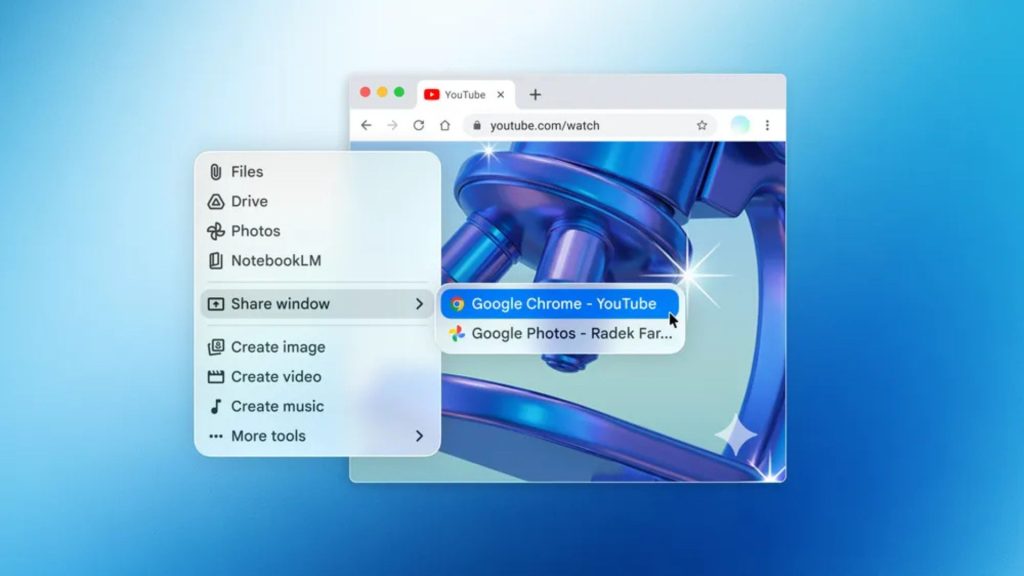
The macOS app lets you share your screen or specific windows with Gemini. This means it can analyse exactly what you’re looking at – whether that’s a chart, document or local file. You can ask it to summarise a report, pull out key insights, or explain a spreadsheet. It then responds based on what’s in front of you, not just a typed prompt.
Google is clearly aiming this at both productivity and creative use. Alongside text-based help, the app also supports image generation via Nano Banana and video creation using Veo. This lets users spin up visuals without leaving their workspace.
This move also addresses one of the biggest annoyances with AI tools right now: context switching. Constantly bouncing between apps, tabs and tools can slow things down. Moreover, Google is positioning Gemini’s desktop version as a way to keep everything in one place.
Which Mac do I need?
The app is available starting today for macOS 15 and later. It is rolling out globally at no cost to existing Gemini users. You can download it directly from Google’s site.
It’s still early days for Gemini on desktop, though. Google describes this as a “first release,” with plans to evolve it into a more proactive assistant over time.
Gemini is no longer just something you open in a browser; it’s becoming part of your desktop workflow.
The post Google rivals ChatGPT with a new reason for Mac users to switch to Gemini appeared first on Trusted Reviews.