

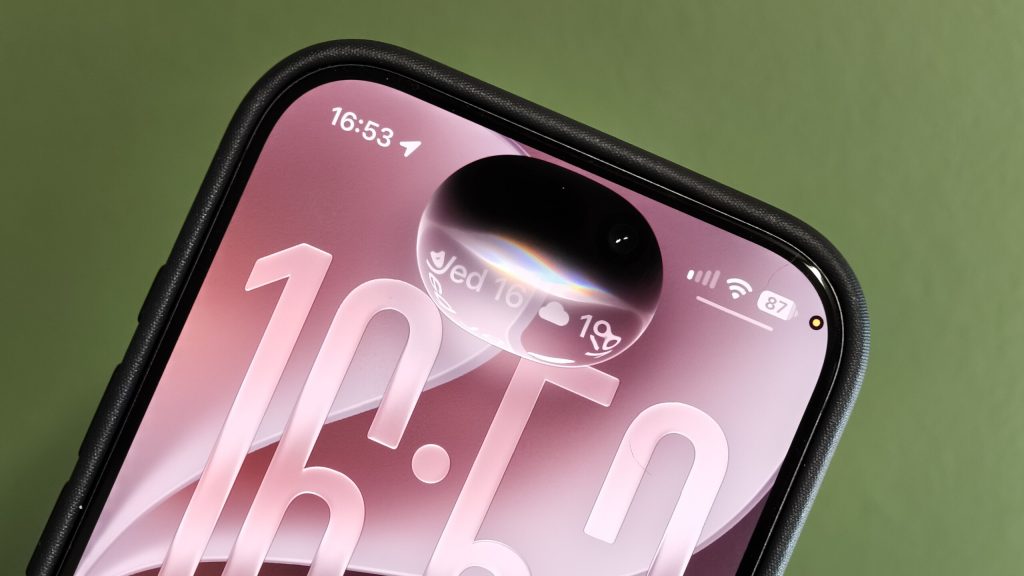
If your iPhone has suddenly frozen after updating to iOS 27, there’s a specific bug that could be to blame. A quick combination of swipes can leave the phone stuck, with taps and gestures no longer registering. However, there’s a simple way to get it working again.
The bug can be triggered by swiping down to open Notification Center and then immediately swiping down again to open Control Center. When it happens, buttons and icons can become stuck at the top of the display. Meanwhile, the rest of the interface stops responding to touches.
Thankfully, this isn’t a permanent problem. A force restart should get your iPhone out of the freeze. You won’t be able to use the usual on-screen power controls while the phone is unresponsive, however – you’ll need to use the physical buttons instead.
To force restart your iPhone, quickly press and release the volume up button. Then quickly press and release the volume down button. Next, press and hold the side button until the Apple logo appears. You may need to keep holding the side button for more than 10 seconds before the logo shows up.
Once the Apple logo appears, the iPhone should restart normally.
The good news is that there’s no indication in the source that this particular bug permanently damages the device. The issue is more of an annoying software hiccup that can leave your phone looking completely stuck.
Apple will likely address the problem in a future iOS 27 update. But until then, it’s worth remembering the button combination if you haven’t encountered the bug yet.
The post This iOS 27 bug can freeze your iPhone appeared first on Trusted Reviews.