

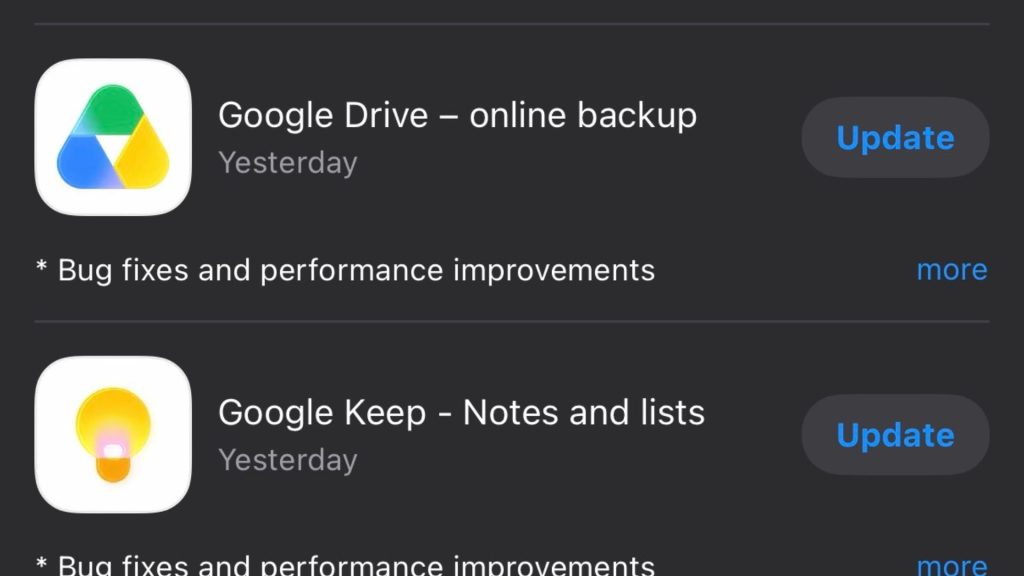
Google’s colourful Workspace app redesign is finally starting to roll out more widely.
The new gradient-style icons are now appearing across Android, iOS, and the web for apps including Gmail, Google Drive, Docs, Sheets, Slides, Calendar, Meet, Chat, Keep, Forms, Tasks, and more.
The rollout was first spotted inside Google’s web app launcher, the little grid menu tucked into the corner of most Google services. However, the updated look is now spreading across mobile apps too.
<!–
–>
For years, Google’s Workspace icons all leaned heavily on the same four company colours. This approach made apps like Docs, Drive, Sheets, and Slides blend together at a glance. This new redesign tones that down considerably. Most of the updated icons now use more distinct colour gradients and shapes. As a result, they are easier to tell apart without squinting at your home screen.
Gmail is pretty much the only app still holding onto the full four-colour treatment.
Google has also removed the old white container backgrounds from many of the icons. This allows the logos themselves to appear larger and a little cleaner. The refreshed icons are already showing up in places like Google Keep and the homepage headers for Docs, Sheets, Slides, Forms, Vids, and Sites. However, some areas still haven’t fully switched over yet. The favicons inside browser tabs, for example, appear unchanged for now.
The redesign feels like part of Google’s wider push toward a softer, more gradient-heavy visual style across Android and its apps. It is a subtle refresh overall. Still, it is probably one that many Workspace users will appreciate after years of nearly identical-looking icons cluttering up their phones and browsers.
As with most Google rollouts, availability seems to be happening gradually. Therefore, some users may see the updated icons before others across Android, iOS, and the web.
The post Google’s new icon redesign starts rolling out – and they look great appeared first on Trusted Reviews.