

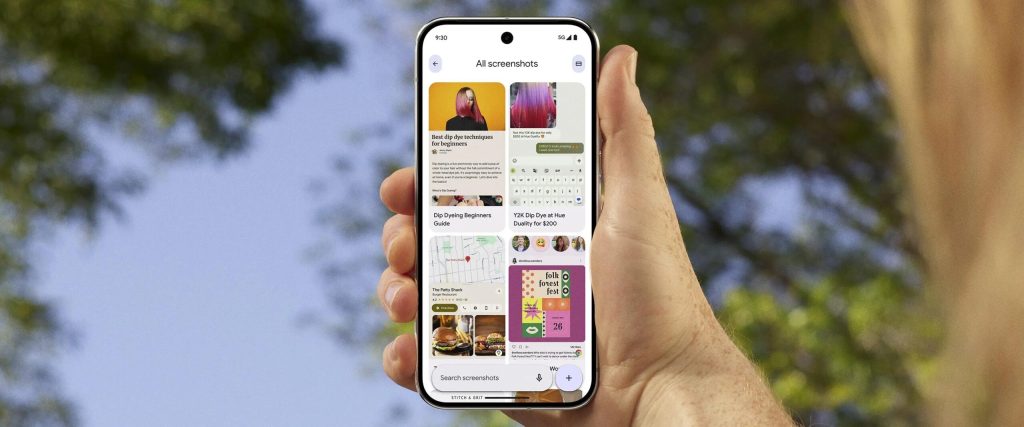
Google is making Pixel Screenshots more useful with a new update that adds date, collection and app filters. These changes give Pixel users more control over a growing screenshot library, making it easier to find specific images without relying solely on text search.
The update arrives alongside the Pixel 11 series and expands the existing “Filter screenshots” menu. Previously, the menu was limited to tags such as Places, Articles, Events, Notes, Receipts and Tracking info.
With version 1.26.281.05, users can now filter screenshots by date range, with options covering the past 24 hours, seven days, 30 days, six months and one year. There’s also a Custom option that lets you specify a particular period when the preset ranges aren’t enough.
Google has also added Collections as a filter. Rather than opening collections individually, you can now use them to narrow down the screenshots shown in the main feed. The same filtering options are available within Collections, too.
The third addition is Sources, which lets you filter screenshots by the application they came from. Pixel Screenshots already records the source app and displays it in the bottom-right corner of each screenshot. Therefore, this update essentially makes that information more useful when searching through your library.
Together, the new filters should make it much easier to work through a large collection of screenshots. They also complement the app’s existing text search. This gives you another way to narrow down results when you know roughly when a screenshot was taken or which app it came from.
There aren’t any other major changes in this update. The previous Pixel Screenshots update, released in June, added cloud-based Private AI Compute for processing. It also introduced a “Use mobile data when processing” toggle in Settings.
Google is rolling out version 1.26.281.05 through the Play Store, and the update is already live on Pixel 10 devices.
The post Pixel Screenshots just got smarter with the latest update appeared first on Trusted Reviews.