

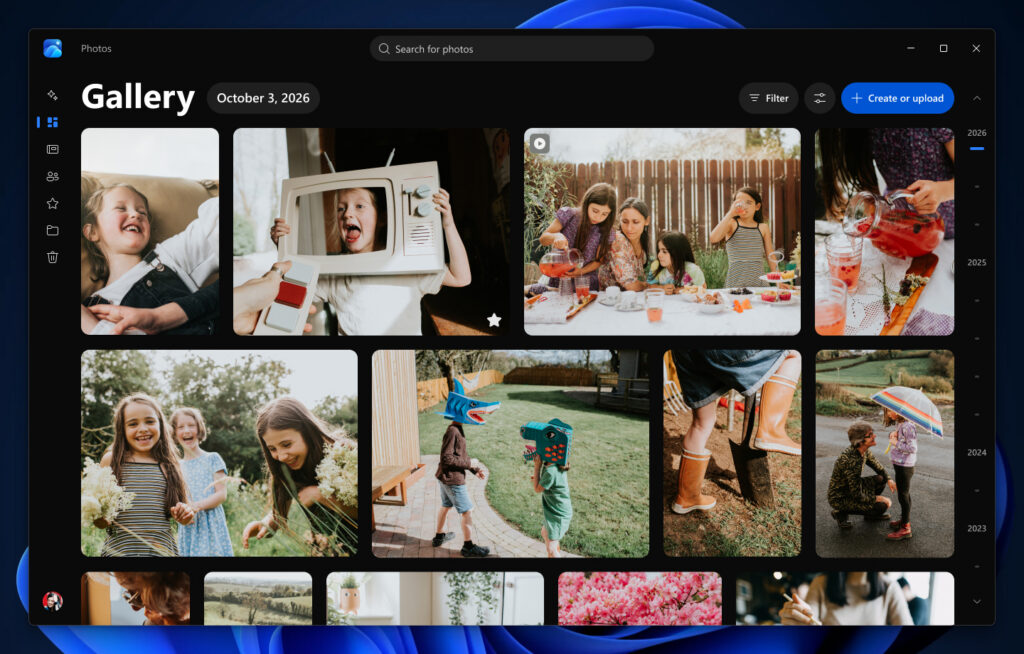
Microsoft is rebuilding the Windows 11 Photos app with a faster, smarter Gallery that brings together images stored on your PC, OneDrive and iCloud.
That means you no longer need to remember where each photo is stored. Pictures from iCloud are imported through Apple’s iCloud for Windows app, while OneDrive’s Camera Backup feature adds images taken on Android and iOS phones.
Signing in to OneDrive is optional, so you can still use the app to browse photos stored locally or in iCloud. Downloaded images also remain available offline.
Microsoft is also bringing more of OneDrive’s web and mobile photo-management features to the Windows app, including People search, shared albums and Moments.
Moments automatically groups OneDrive photos into themed memories and creates a seasonal recap. These recaps play as slideshows and can be shared or saved as videos.
Natural-language search makes finding particular photos easier too, allowing you to enter descriptions such as “sunset at the beach”. New filters can also narrow results by storage location or the people pictured.
Editing tools and HDR support
Beyond organisation, Microsoft rebuilt the Editor from scratch with WinUI 3, lists a 25 percent faster launch time, and groups its tools into Crop, Enhance, Repair, and Stylize categories according to the kind of edit.
Those categories sit alongside broader format support, as the app now keeps HDR colour and contrast intact during edits and saves HEIC and WebP files in their original formats.
Editing quality also improves within Repair, where object removal works by circling or brushing over an unwanted item and an improved AI model delivers cleaner results and faster processing, according to Microsoft.
Relight carries that post-capture control over to lighting, letting users position up to three coloured light sources around a focus point or apply presets such as golden hour.
Viewer changes and rollout timing
Microsoft also redesigned the Viewer, which keeps edit, print, and share controls close to the image and adds SVG support, while an information panel shows camera details, a colour histogram, a location map, and visual search.
File Explorer now opens images straight into that Viewer, which starts 15 percent faster on average and opens HEIC files up to 30 percent faster, based on Microsoft’s internal testing.
Those speed gains reflect a broader priority for Giorgio Sardo, Microsoft’s vice president for Microsoft Store and Windows Apps, who said that the aim is “not simply to add more capabilities” across Photos.
The free update has started rolling out to Windows Insiders on Windows 11, and Microsoft plans to expand availability to all Windows 11 users later this year, though it has not set an exact date for the wider release.
The post Microsoft gives the Windows 11 Photos app a major overhaul appeared first on Trusted Reviews.